Francesca
← Back to Work

EventMe

UI/UX case study.

EventMe is an app that is committed to improving the experience of events and ticket purchasing. The app will streamline event discovery, provide personalized recommendations, enhance the user interface, prioritize safety, and facilitate ticket purchases. The ultimate objective is to deliver a seamless and delightful ticket buying experience for every user.

Project
Event ticketing app
Date
October 2023
Scope
Research, UX & UI design
EventMe home with Trending Now, Early Bird Specials and Recommended Events. Event details for Asake in Uyo. Buy Ticket with Regular, VIP, Table for 5 and Diamond Table. Buy Ticket with one VIP ticket selected. Checkout with the ticket receiver and payment methods.
Find an event and buy a ticket.
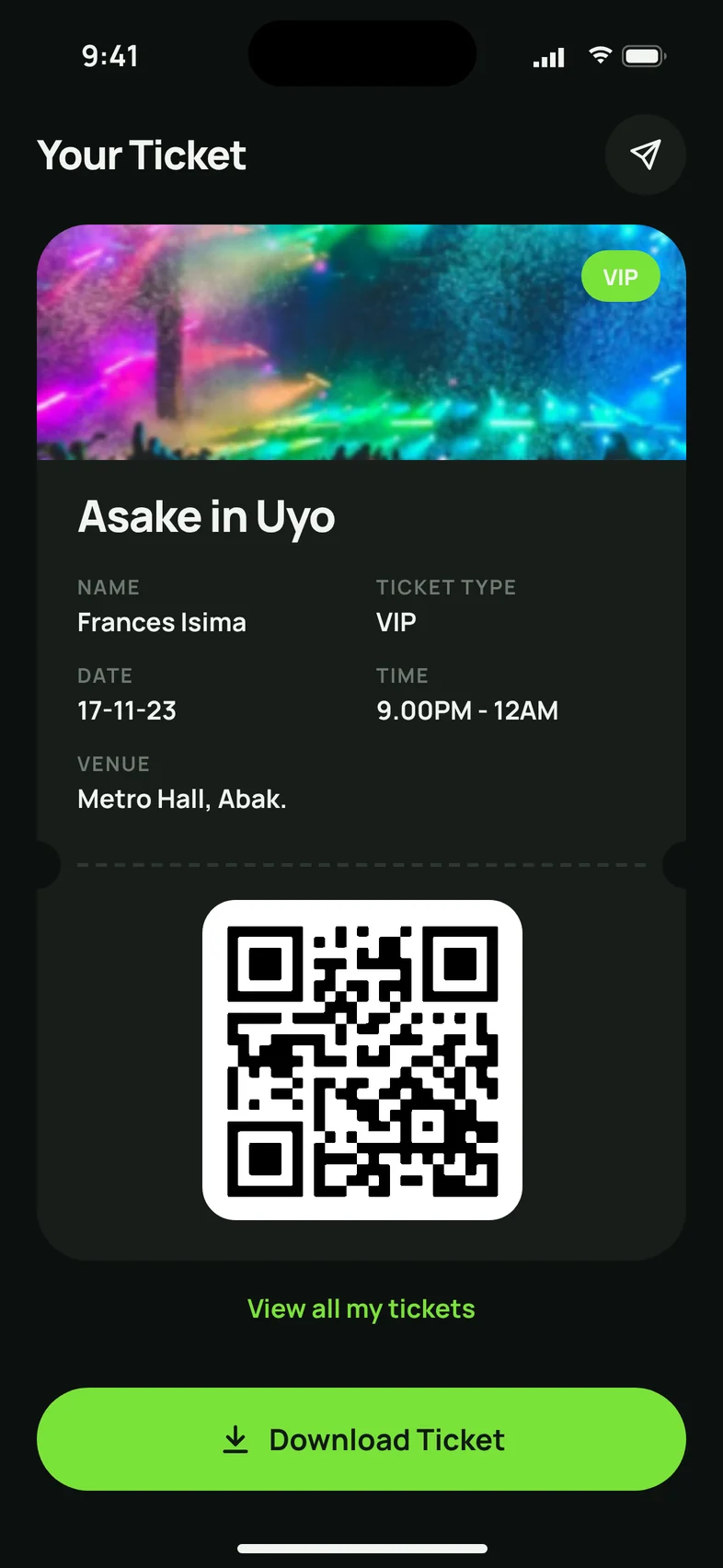
Card details with a Scan Your Card button. Scan Card: hold the card inside the frame. Card details filled in after scanning. Payment Successful with a View Ticket button. Your Ticket for Asake in Uyo with a QR code.
Scan a card, pay, get the ticket.

01

Overview

The Problem

Today, using event ticketing apps can be difficult and not ideal for many people. These apps often have confusing interfaces, making it hard to find events they like. They don’t personalize suggestions, so you have to search through lots of events. Safety is also a concern, with worries about your data and payment security. Additionally, these apps don’t have features that make buying tickets fun and interactive.

The Solution

So, there is a need for an event ticketing app that makes things easier for users, gives personalized suggestions, and ensures secure transactions. This app should also have features that make users more engaged and satisfied, solving the challenges they currently face.

02

Design process

  1. 01

    UX Design

    I started by defining the problem, setting project goals, conducting user research, and analyzing the competition.

  2. 02

    UI Design

    I created wireframes and prototypes to design the app’s layout and functionality, focusing on UI and UX principles to make it visually appealing and user-friendly.

  3. 03

    Documentation

    Next, I consolidated all design work, research findings, wireframes, and design into a comprehensive case study.

  4. 04

    Presentation

    Lastly, I did a presentation that effectively communicates my design process, design decisions, and the potential impact of the app on solving the identified problem.

03

User research

To gain a deeper understanding of my users, I conducted a comprehensive screener survey to identify potential participants who would be interested in participating in interviews.

My target audience for this study consisted of adults aged between 18 and 55. This age group was selected because they represent a significant portion of individuals who have a strong affinity for attending various events, including parties, concerts, shows, and more. It is widely observed that people within this age range are more inclined to purchase event tickets online due to its inherent advantages, such as convenience, speed, and ease of use. By targeting this specific demographic, I was able to establish a sample group that accurately represents the preferences and behaviors of event-goers who frequently rely on online platforms to purchase their tickets.

Research Goals

By researching prospective users, I hoped to learn, identify and gain;

  • Understand the needs and preferences of potential users in event discovery and ticket.
  • Identify challenges and frustrations users face when using event ticketing platforms.
  • Gain insights into user behaviors and habits for finding and attending events.
  • Determine expected features and functionalities for an event ticketing app.
  • Identify concerns related to data security and payment safety.
  • Learn about user preferences for event types, genres, and locations.

04

User persona

Susan Thompson, persona photo.

Name

Susan Thompson

Demographics

  • Age: 28
  • Occupation: Marketing Coordinator
  • Location: Calabar, Nigeria
  • Family Status: Single

Interest

  • Travelling
  • Cooking
  • Hiking

Goals and Needs

  • Easily discover upcoming events
  • Event recommendations
  • A user-friendly app that simplifies the ticket purchasing
  • Secured payment

Challenges

  • Limited time due to her job.
  • Overwhelmed by the variety of events in the city.
  • Frustration with complicated ticket purchasing processes.

Background

Sarah is a young professional living in the bustling city of Calabar. She has a hectic work schedule but enjoys unwinding by attending various events in her free time. Whether it’s live concerts, art exhibitions, or food festivals, Sarah is always on the lookout for exciting events happening around the city. She enjoys sharing her experiences on social media, where she has a substantial following of friends and fellow event enthusiasts.

David Rodriguez, persona photo.

Name

David Rodriguez

Demographics

  • Age: 26
  • Occupation: Student
  • Location: Lagos, Nigeria
  • Family Status: Single

Interest

  • Gaming
  • Reading
  • Partying

Goals and Needs

  • Wants detailed info about festival lineups, including artists, set times, and stages.
  • He needs an easy way to buy tickets.
  • He needs mobile app is essential him to stay updated on events while on the move.

Challenges

  • Too many music festivals and events to keep track of.
  • Difficult to find set times and artist lineups.
  • Tedious ticket purchasing for multi-day events.

Background

David is a music lover and aspiring music producer who is currently studying music production in the vibrant city of Lagos. He is known among his friends for his deep knowledge of music genres and his passion for attending music festivals and concerts. In his free time, he enjoys exploring new music and sharing his discoveries on various online forums and social media platforms.

05

Aggregated
empathy map

The aggregated empathy is created by combining insights from users. It helps me understand the users’ thoughts, feelings, and actions, allowing me to empathize with their needs and pain points. This understanding will guide me in designing a more tailored and user-friendly experience.

Says

  • “I love going to events in NYC, but finding ones I like is overwhelming.”
  • “It’d be great if the app could suggest events I enjoy.”
  • “I need a simple and quick ticket-buying process because I’m short on time.”
  • “I like sharing my event experiences with friends on social media.”

Thinks

  • “I want an easier way to find events I’m interested in.”
  • “Personalized event suggestions would save me time.”
  • “A user-friendly app would make my life easier.”
  • “Connecting with friends and other attendees would enhance the event experience.”
  • “I hope this app prioritizes my data and payment security.”

Does

  • Frequently checks event listings online.
  • Shares event experiences on social media.
  • Sometimes hesitates to purchase tickets online due to security concerns.
  • Asks friends for event recommendations.

Feels

  • Frustrated by event discovery.
  • Excited to share event experiences with friends.
  • Anxious about online safety.
  • Eager to discover new events and make the most of limited free time.

06

Product goals

These product goals are designed to align with the insights gathered from user research. The main objective of EventMe is to offer users a superior experience in discovering events and purchasing tickets, while also addressing their specific needs and concerns.

01

To simplify the process of discovering events by providing a wide range of events and an easy-to-use interface that caters to the diverse interests of users.

02

Implement a personalized recommendation system that suggests events based on users’ preferences and past attendance, enhancing their event discovery experience.

03

Simplify the process of purchasing tickets to reduce frustration during transactions, while ensuring a smooth and efficient user experience.

04

To create an intuitive and enjoyable user experience, prioritize user-centric design principles. This involves focusing on visual appeal, ease of navigation, and simplicity.

07

Competitive analysis

StrengthsWeaknesses

Eventbrite

Strengths

  • Eventbrite is known for its easy-to-use interface, making it simple for event organizers to list events.
  • Offers a wide variety of community-driven and local events.
  • Allows easy sharing and integration with social media platforms.

Weaknesses

  • Eventbrite focuses more on smaller, local events rather than major concerts or sports events.
  • May not be as integrated with larger venues and arenas.

Ticket Master

Strengths

  • Ticketmaster offers access to a wide range of events, making it a comprehensive platform.
  • Offers a wide Well-known and trusted in the event ticketing industry.
  • Often integrated with venue websites, enhancing user convenience for purchasing tickets.

Weaknesses

  • High service fees can increase overall ticket costs.
  • Limited personalized event recommendations compared to competitors.

StubHub

Strengths

  • Offers a secondary marketplace for buying and selling tickets, including sold-out events.
  • User-friendly mobile app for convenient ticket purchases.
  • Provides access to various events, including major sports events and concerts.

Weaknesses

  • StubHub primarily focuses on ticket resale, with less emphasis on event discovery and personalization.

08

User flow

  1. Open appHave an account?Yes HomepageNo Create account, then HomepageHomepage
  2. Wants to buy a ticket?Yes Browse eventsNo Back to HomepageBrowse eventsSelect an eventEvent details page
  3. Proceed to get a ticket?Yes Select ticket typeNo Back to Event detailsSelect ticket typeProceed to paymentEnter payment details
  4. Complete purchase?Yes Payment successfulNo Back to Enter payment detailsPayment successfulView my ticketDownload Ticket

09

Visual style guide

Mobile 360px

  • Count 4
  • Type Stretch
  • Margin 4
  • Column width Auto

Colour & Typography

Primary

Secondary

Alert & Notification

Montserrat

RegularMediumSemiBoldBold

ABCDEFGHIJKLMNOPQRSTUVWXYZ
abcdefghijklmnopqrstuvwxyz
0123456789@#$%()

Spacing System

NameSizePixels
10.25rem4px
20.5rem8px
30.75rem12px
41rem16px
51.25rem20px
61.5rem24px
71.75rem28px
82rem32px

Iconography

Outline icons in grey.Outline icons in green on light green circles.Filled icons in green.

10

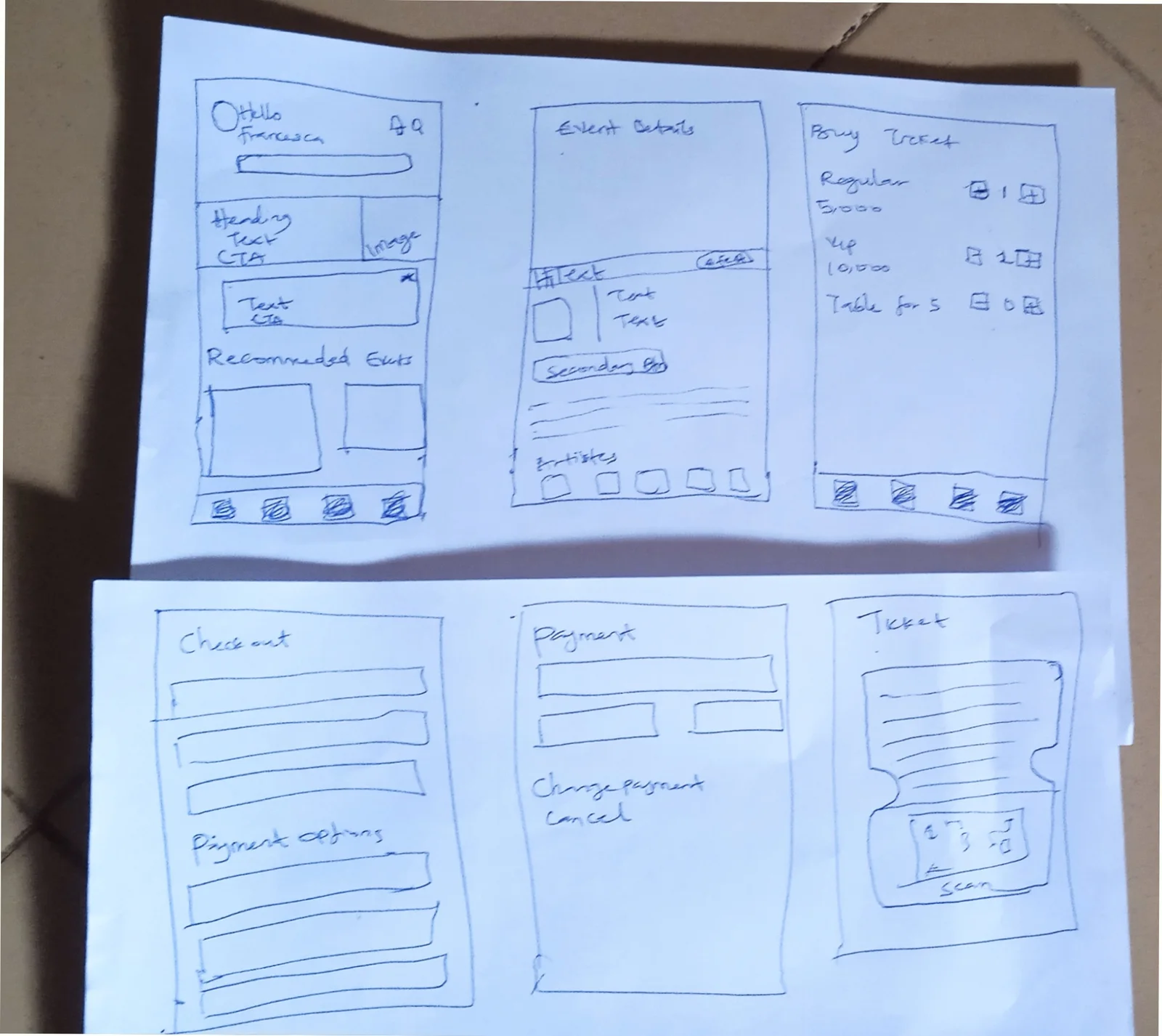
Paper sketches

Hand-drawn sketches of six screens: home, event details, buy ticket, checkout, payment and ticket.

11

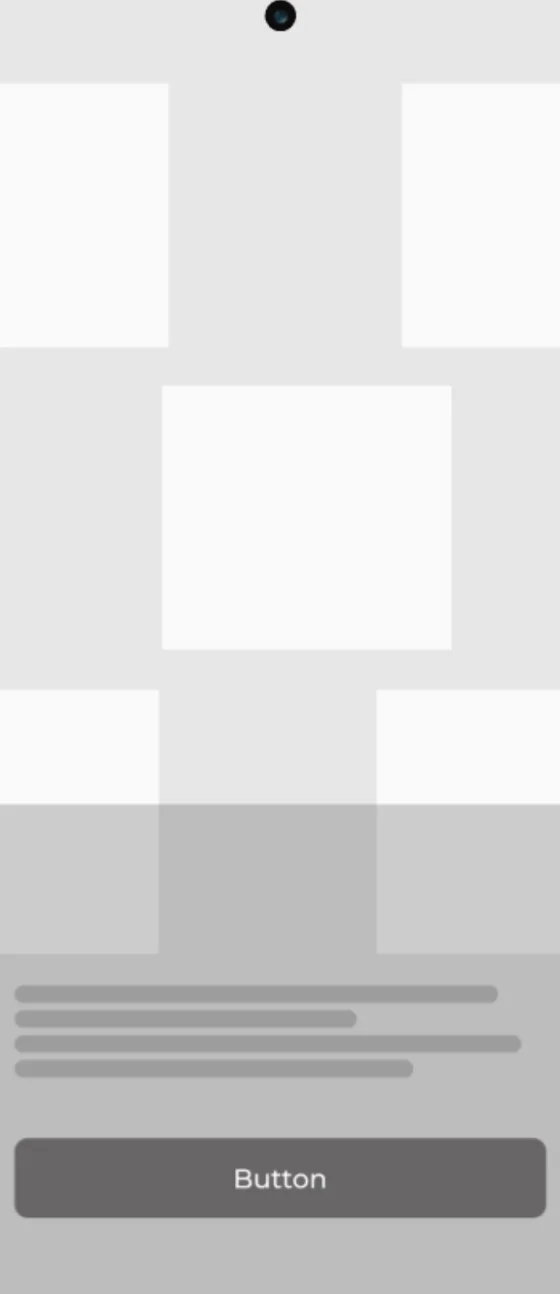
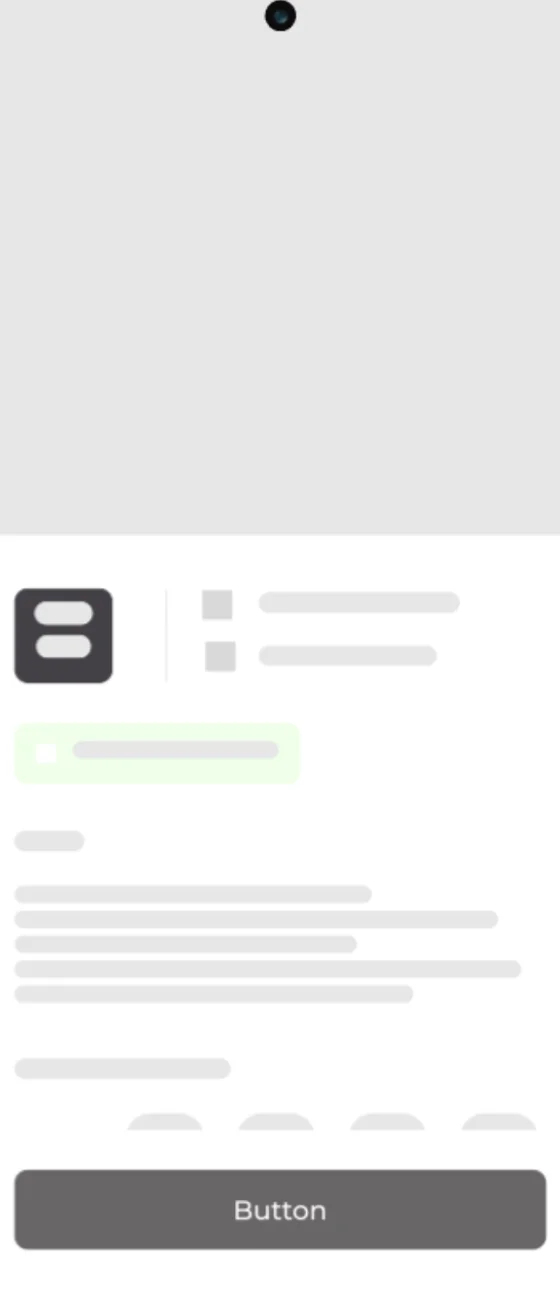
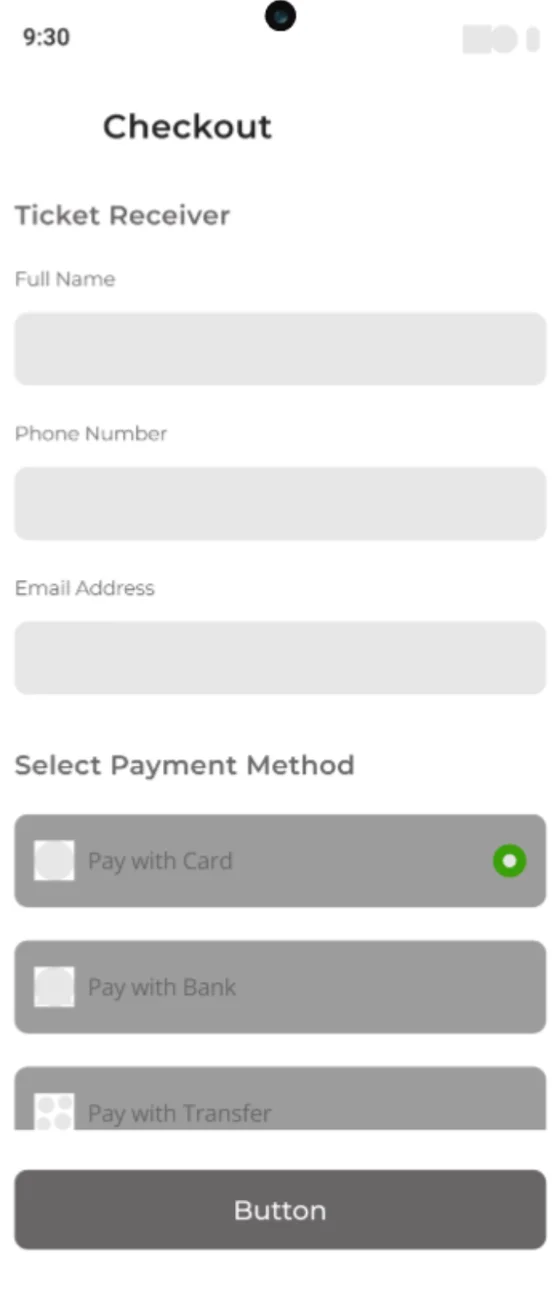
Wireframes

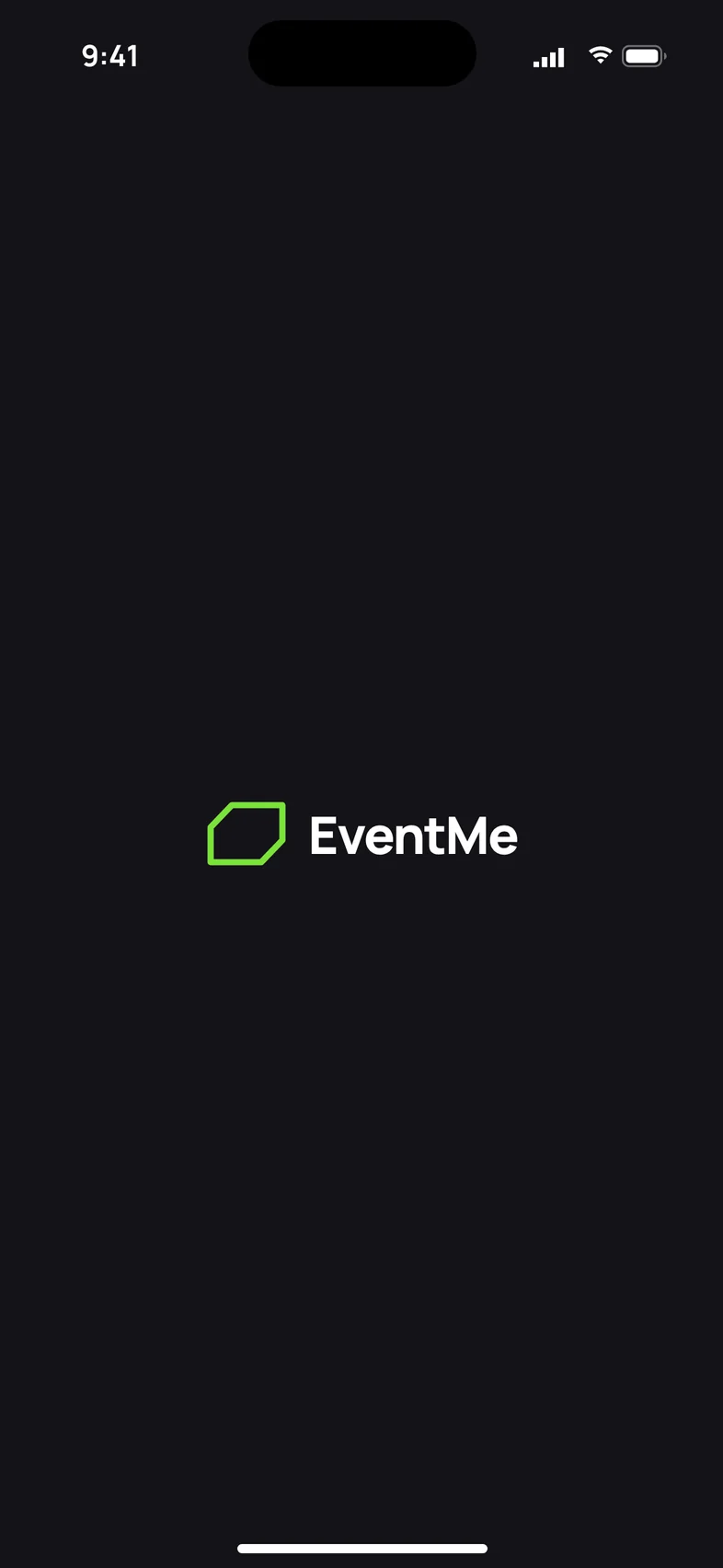
Wireframe: splash with logo.
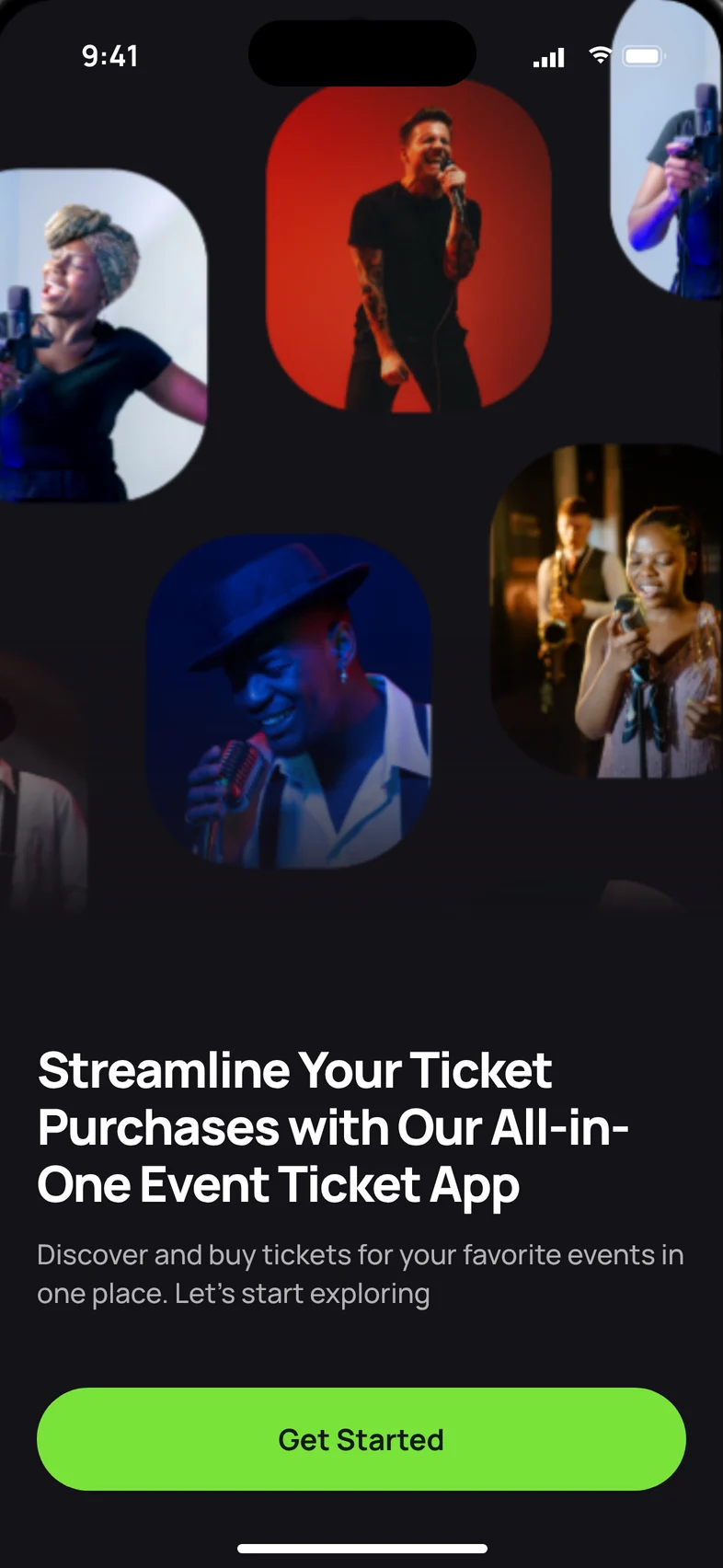
Wireframe: onboarding with image grid and button.
Wireframe: event details.
Wireframe: checkout.
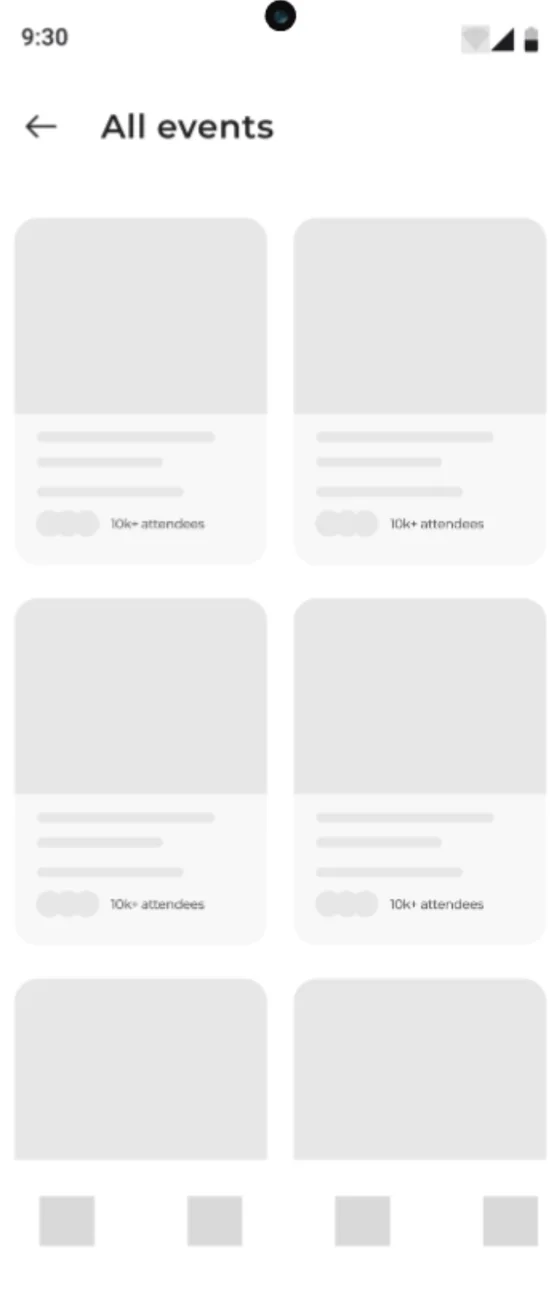
Wireframe: all events.
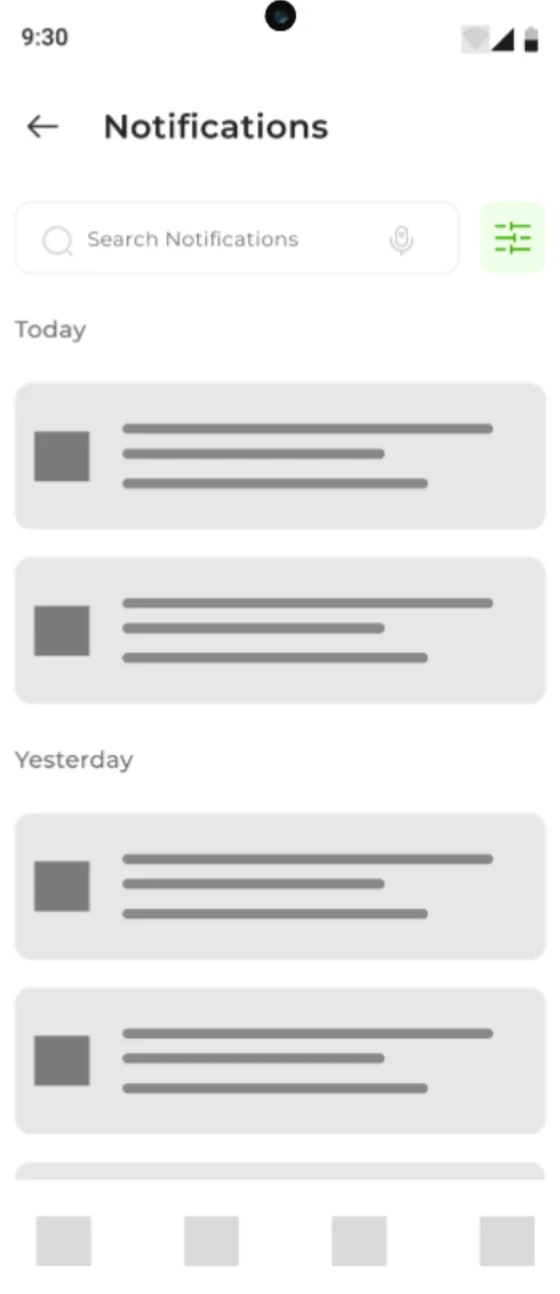
Wireframe: notifications.
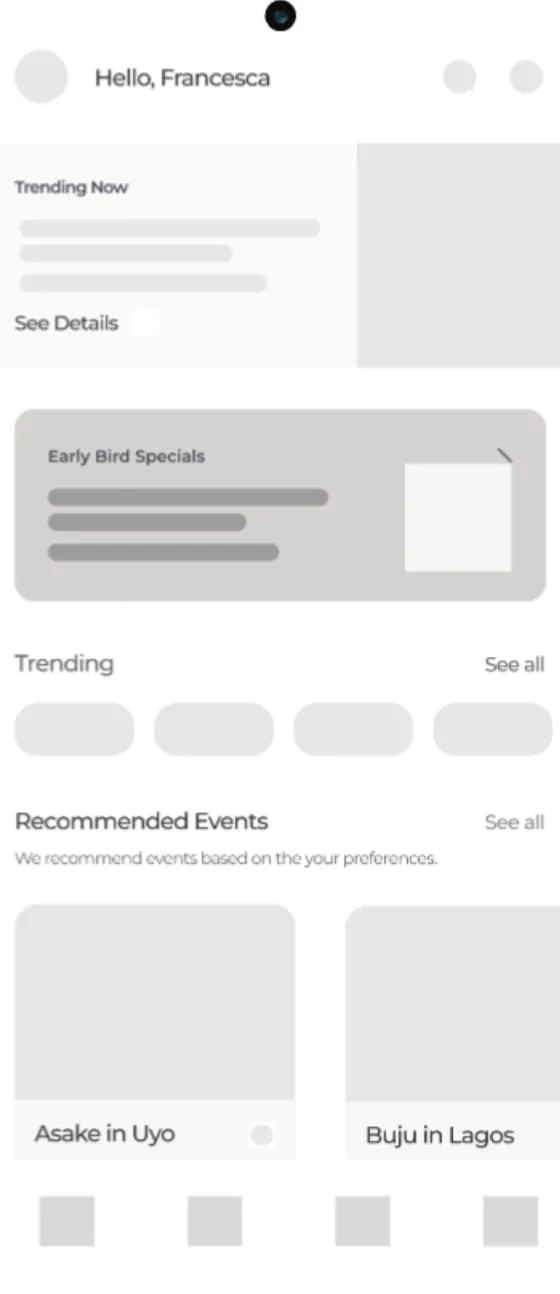
Wireframe: homepage.
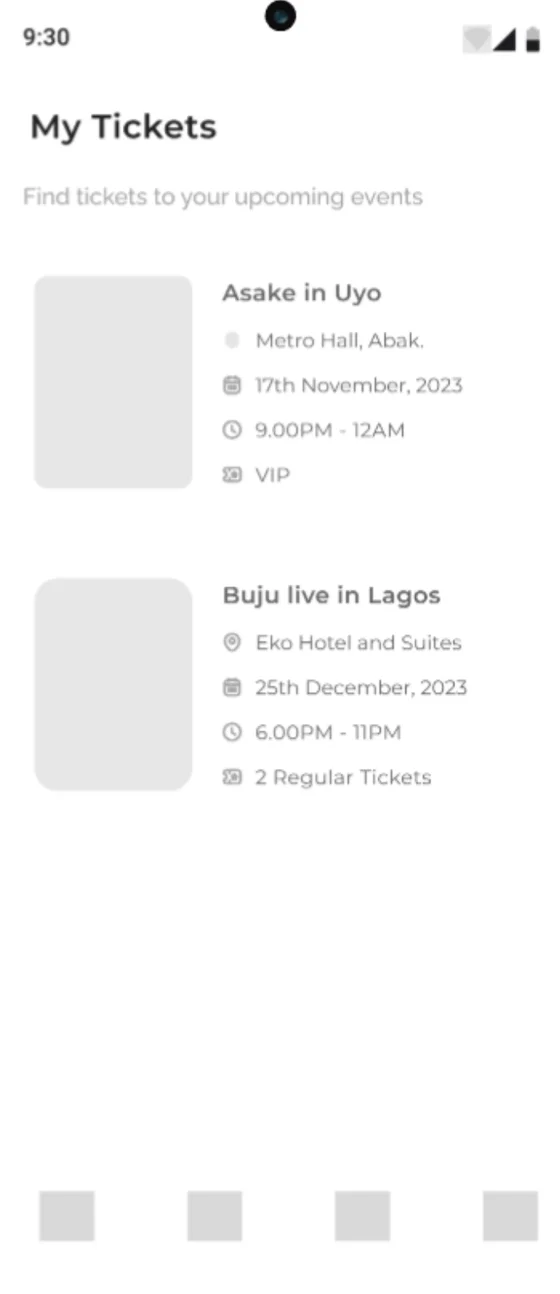
Wireframe: my tickets.
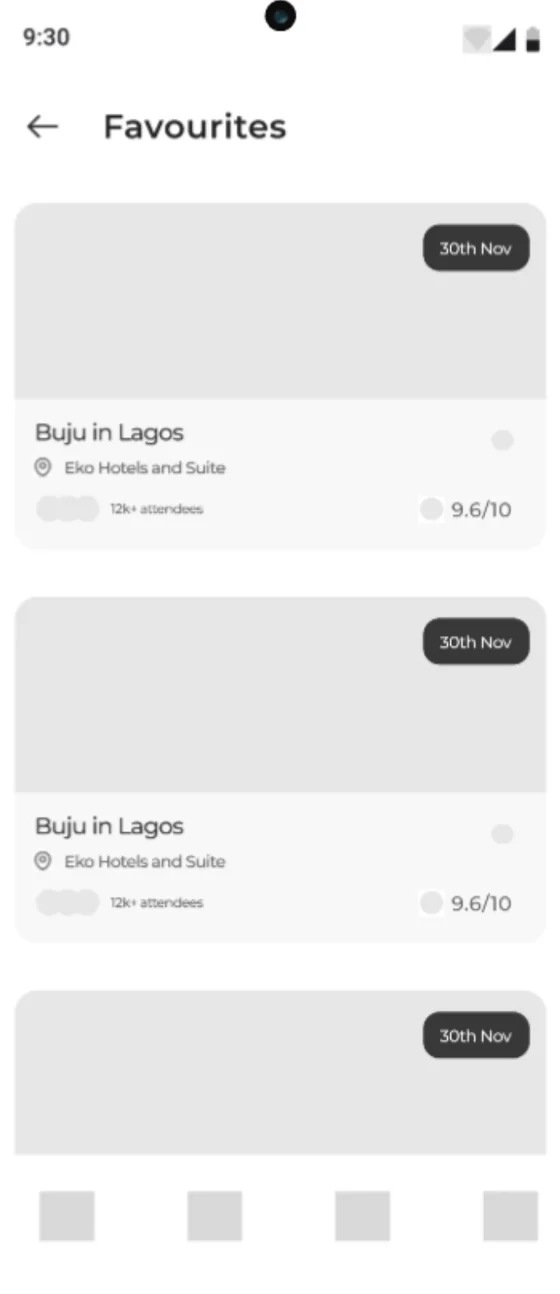
Wireframe: favourites.

12

UI design

Splash Screen and
Onboarding Screen

  • The Splash Screen prominently displays the EventMe app’s logo, enhancing brand recognition and creating a strong first impression.
  • The onboarding screen actively engages users by showcasing the app’s value proposition and demonstrating how it can make event discovery and ticket purchasing easier and more enjoyable.
EventMe splash screen: the logo on a dark background.
Splash screen.
Onboarding: a collage of performers on dark, the headline and a Get Started button.
Onboarding screen.

Sign In /
Sign up

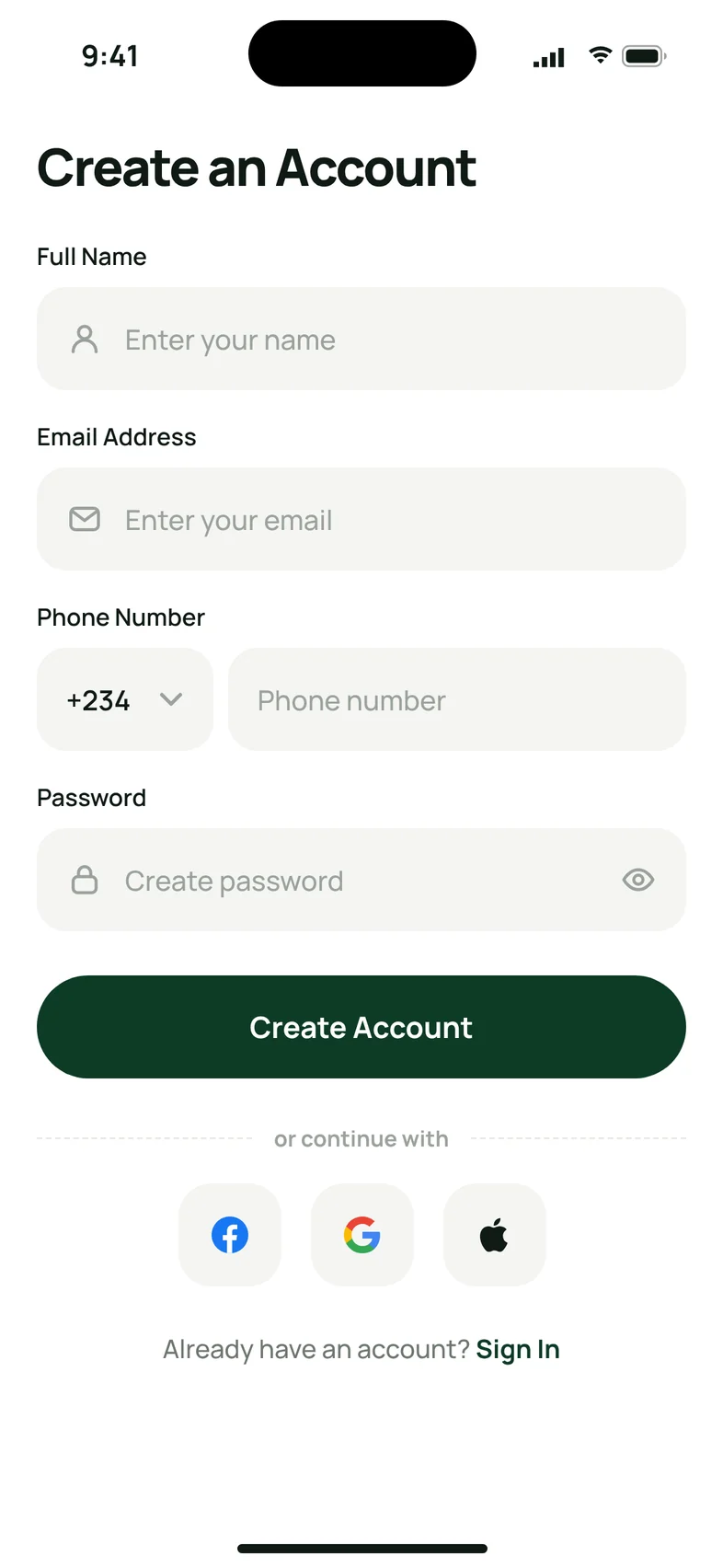
The sign up process is easy and straightforward. Users provide their details, create an account. They can choose to sign up using Google, Facebook or Apple.

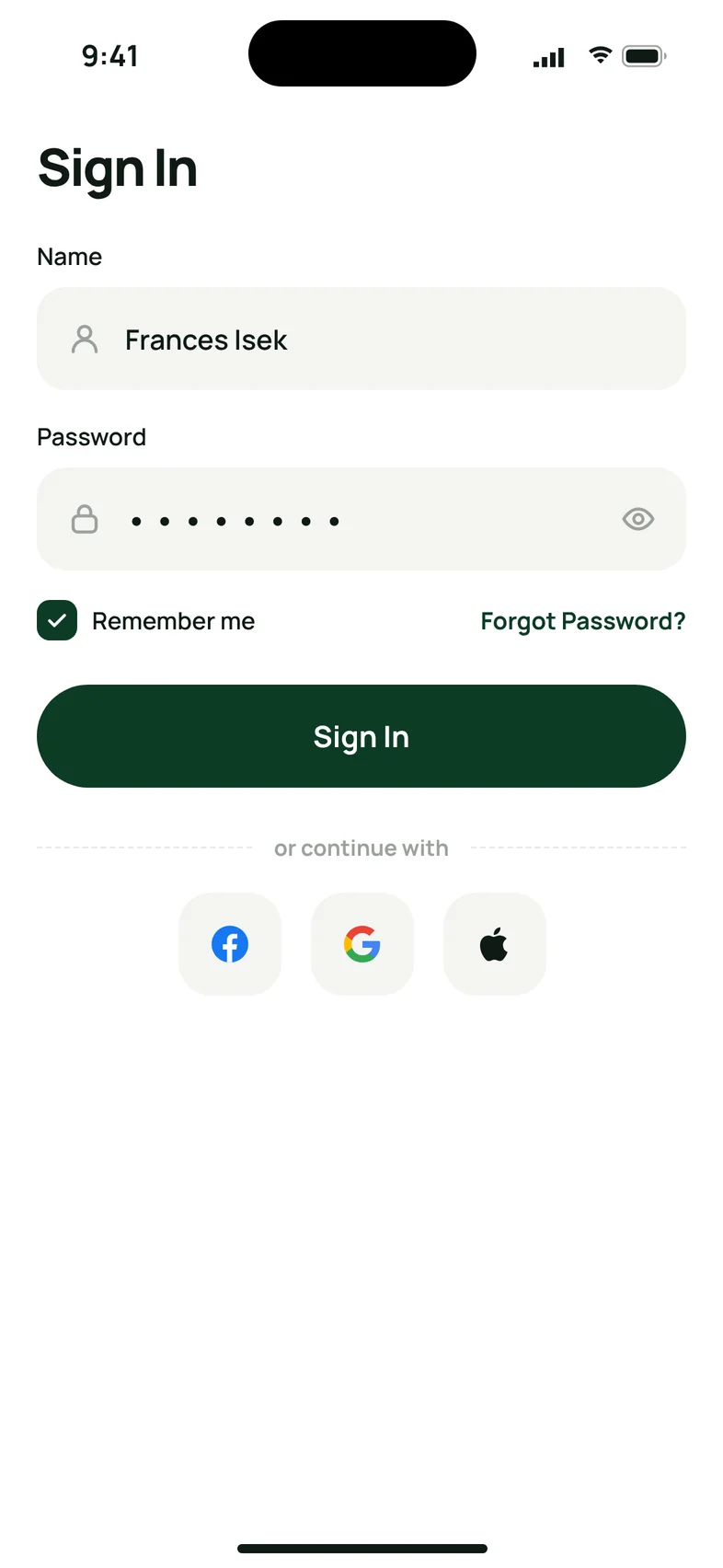
Returning users will enter their Name and password to access their accounts.

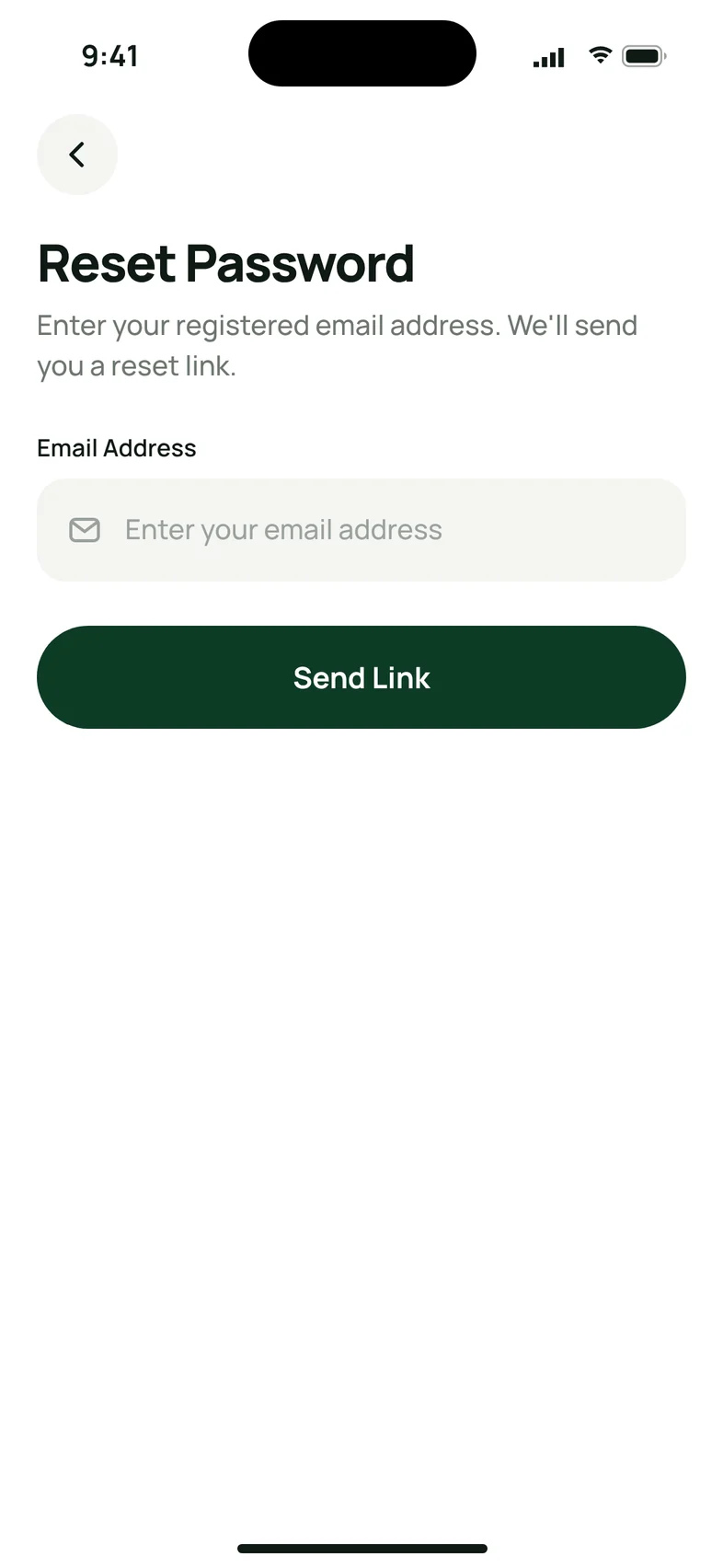
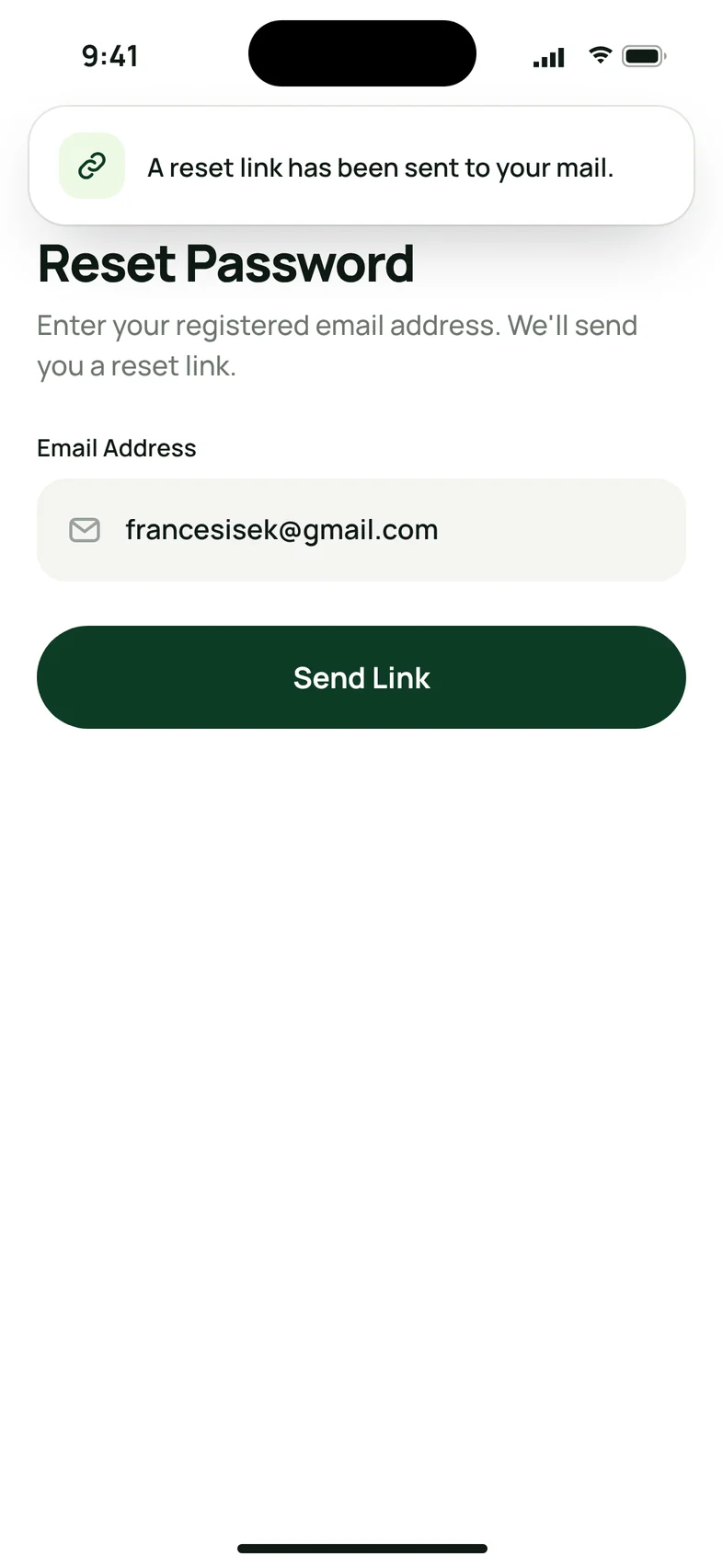
There is an option to reset password for users who can’t remember their login details.

Users can opt to stay signed in on their devices for convenience using the remember me option.

Create an Account form with social sign-up.
Create an account.
Sign In with remember me and forgot password.
Sign in.
Reset Password with a Send Link button.
Reset password.

Homepage

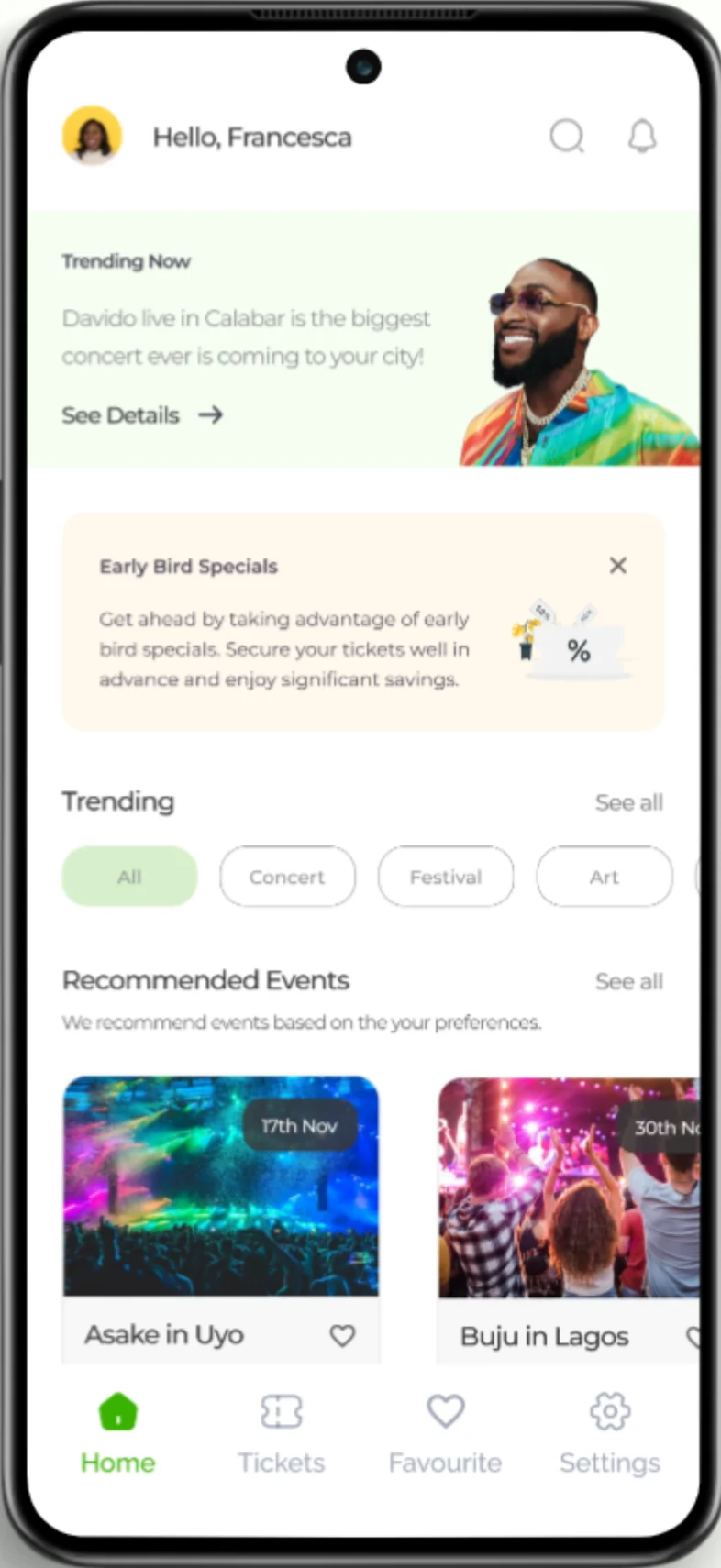
After users sign in, they proceed to the home screen. This is a simple user interface design. On the homepage, users can explore events by category, such as music concerts, sports, arts, or food festivals. They can also view the different events in their categories. There is a notifications, and search icon for ease of search.

The original homepage design.
Before.
The refreshed homepage.
After.

Event Details page

The Event Details Page is where users can access comprehensive information about a specific event they’re interested in including the date, time, detailed description of the event, artist lineup, venue details, and any special highlights, will be seen there.

Event details for Asake in Uyo with About and Performing Artistes.
Event details.
Buy Ticket with four ticket types.
Buy ticket.
Checkout with ticket receiver and payment method.
Checkout.

Scan Card

During the payment process, users can decide to scan their card rather than manually inputting their details. This is for ease and accessibility.

Card details with Scan Your Card.
Card details.
Card scanner with the card inside the frame.
Scan card.
Payment Successful pop-up.
Payment successful.

Other Screens

Your Ticket with QR code and Download Ticket.
Your ticket.
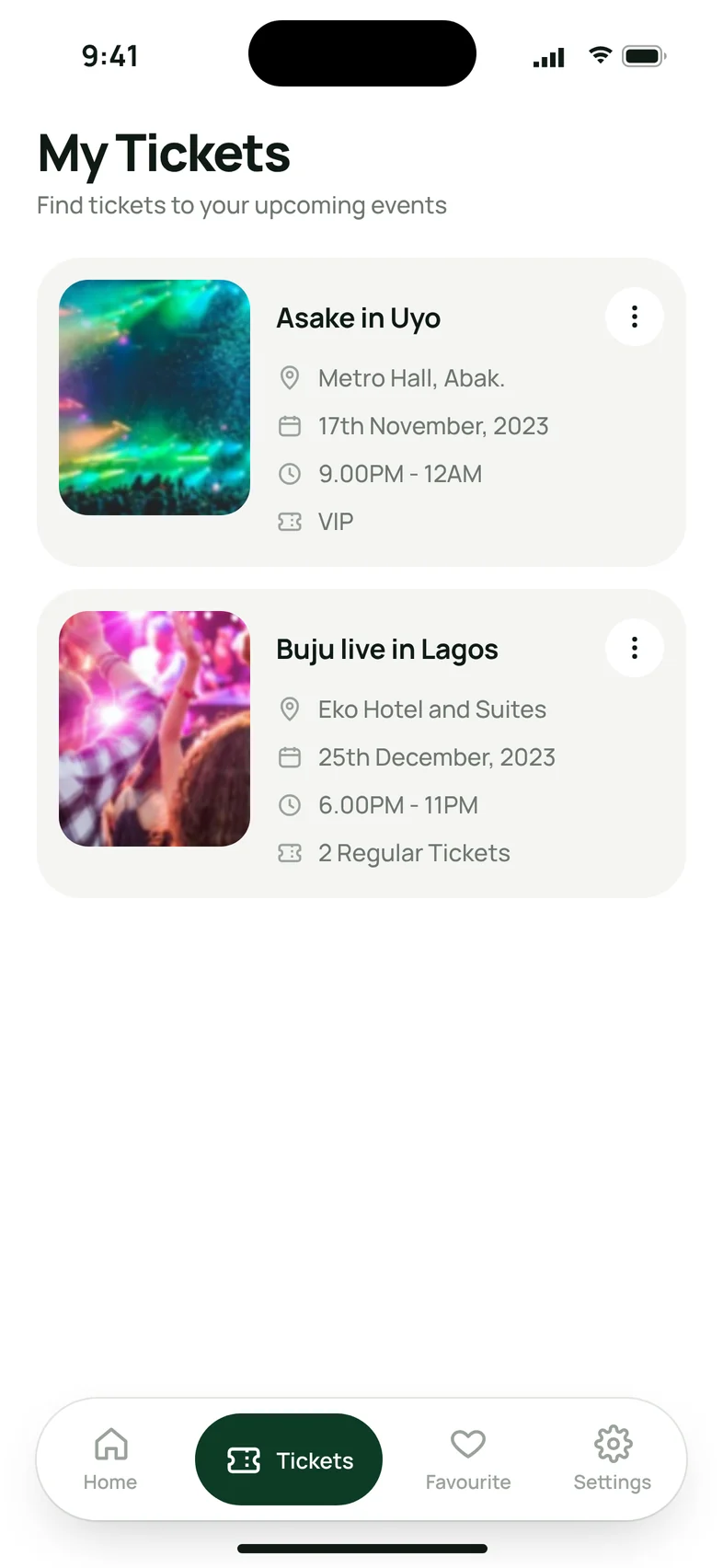
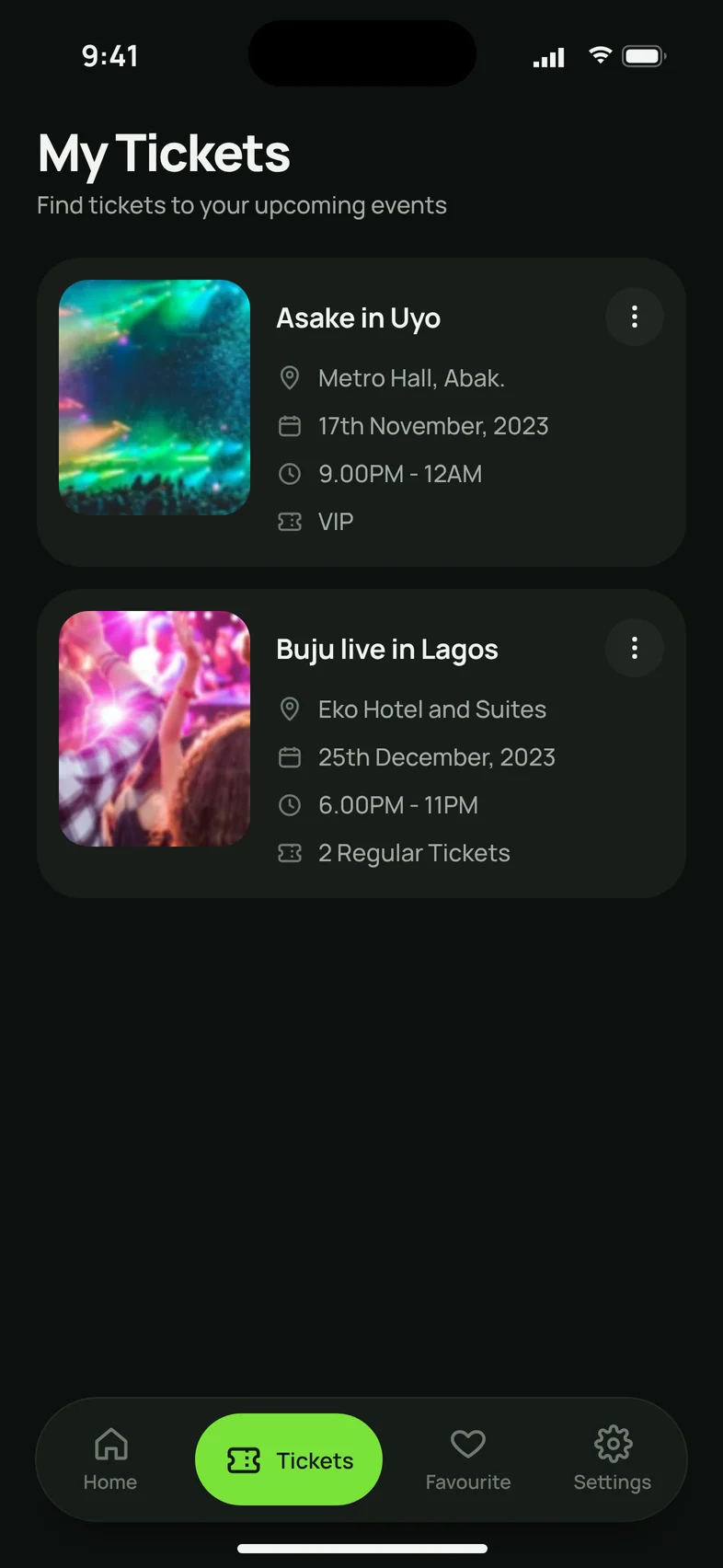
My Tickets with two upcoming events.
My tickets.
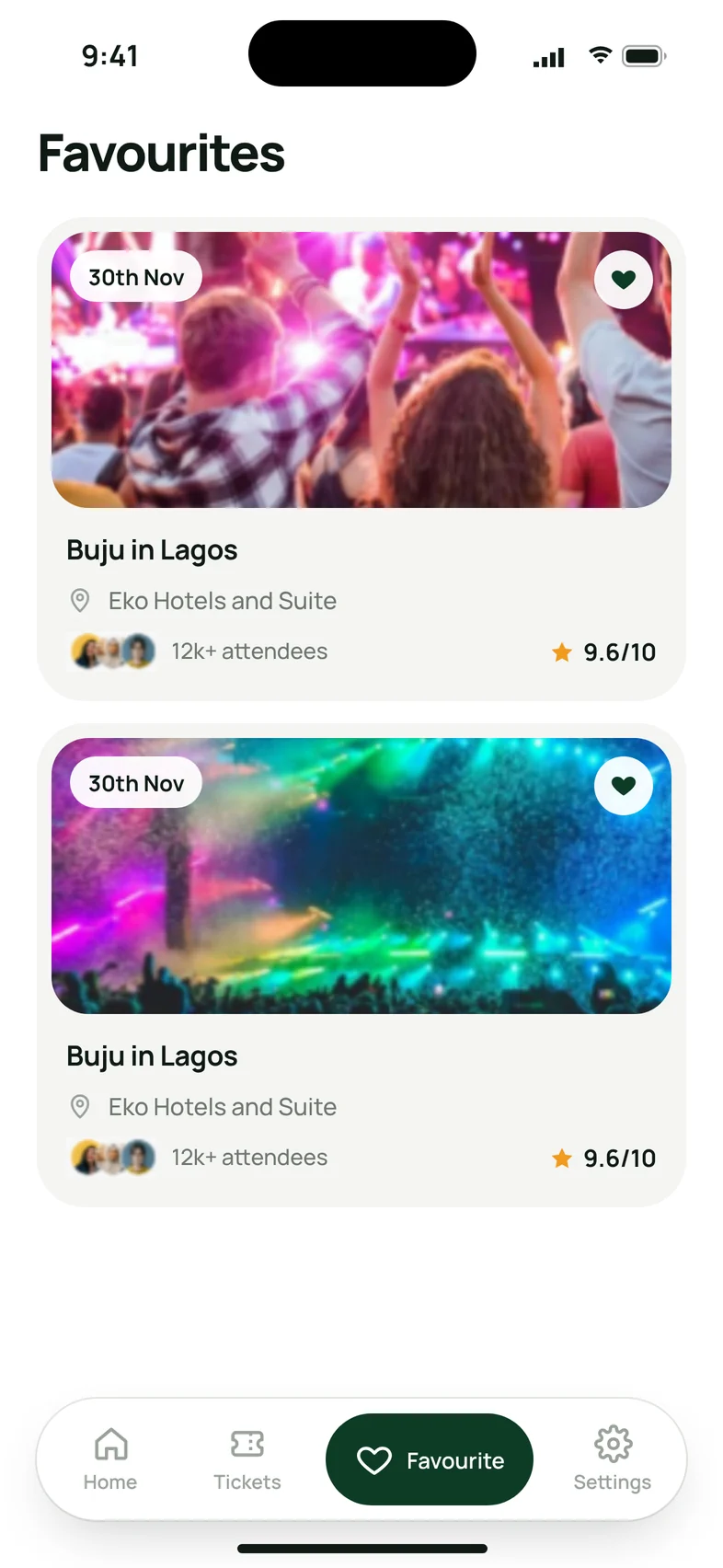
Favourites with saved events.
Favourites.
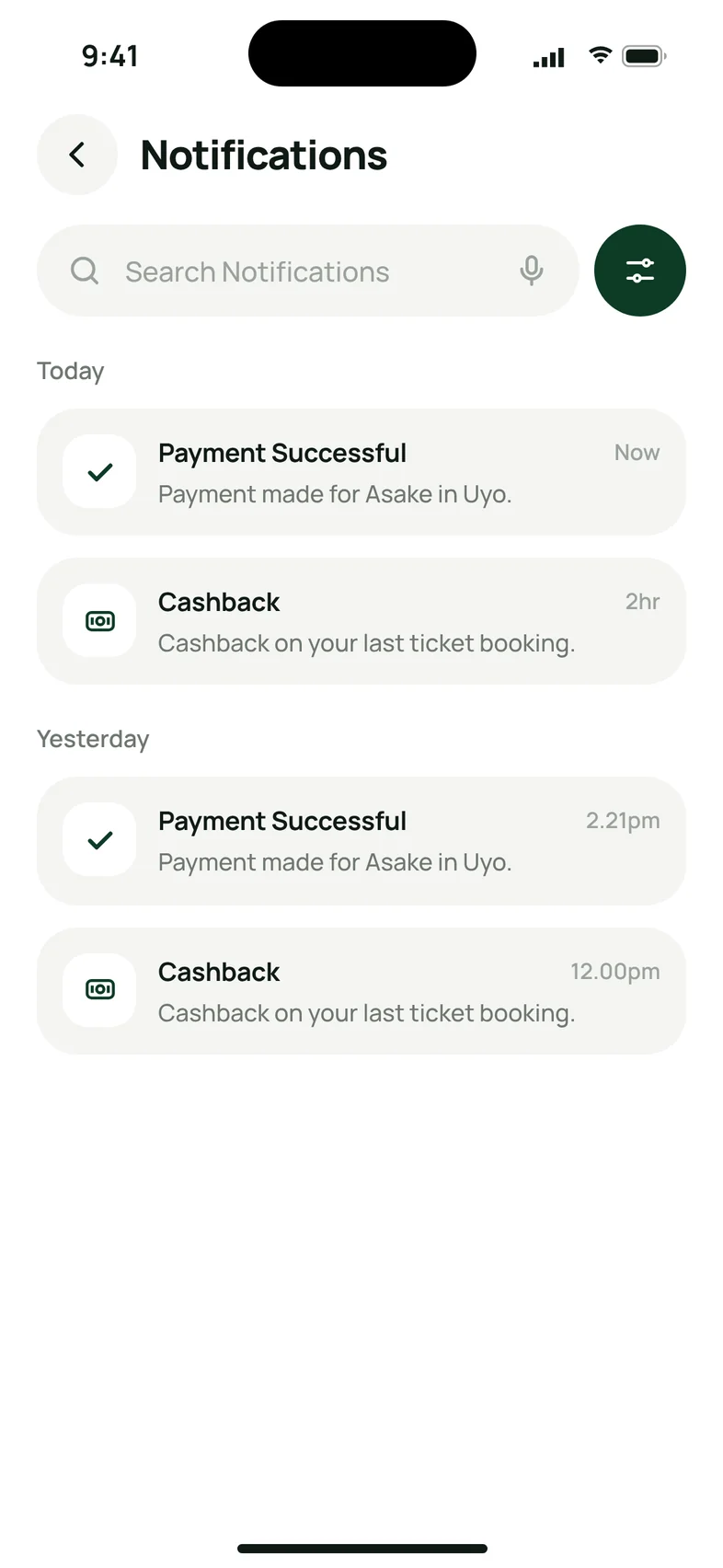
Notifications for today and yesterday.
Notifications.
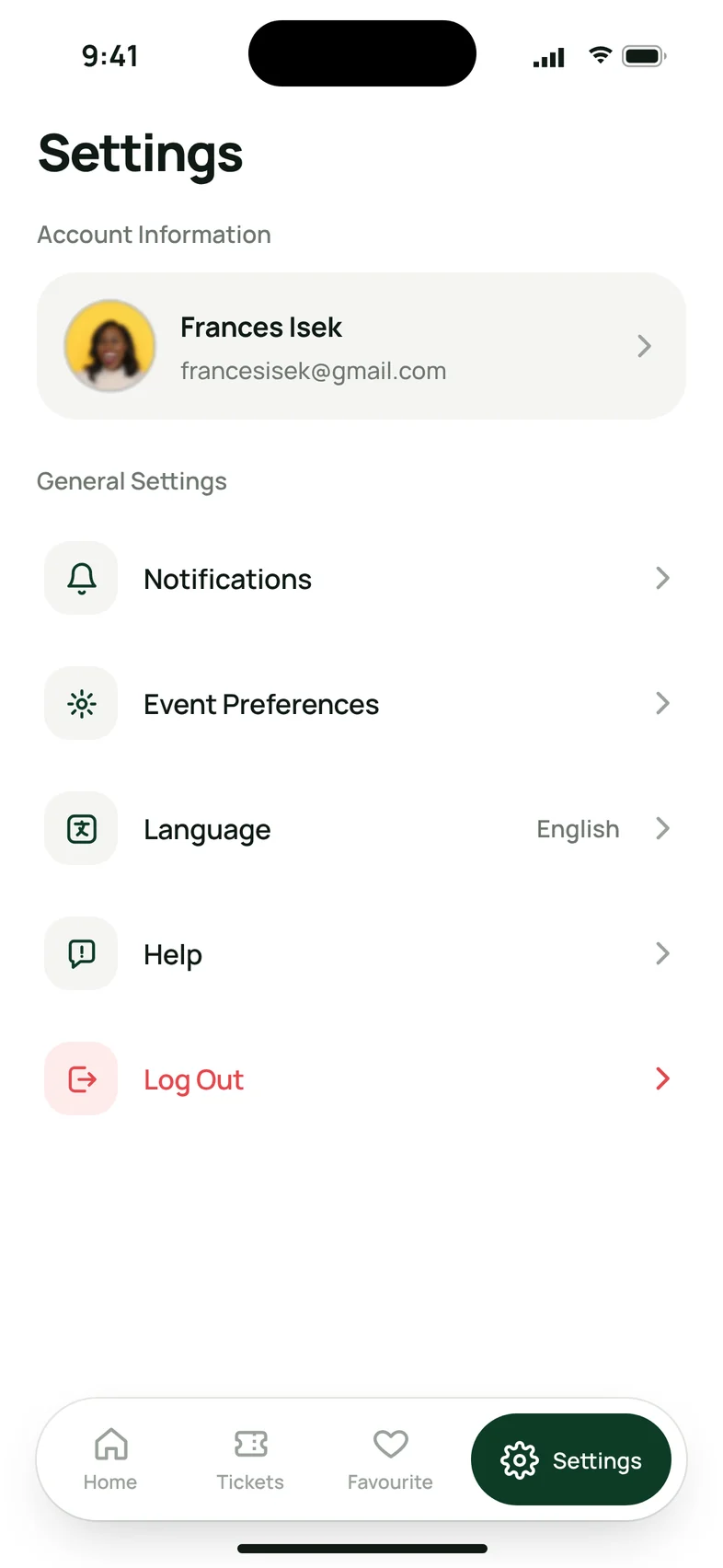
Settings with account and general settings.
Settings.
Toast: a reset link has been sent to your mail.
Reset link sent.
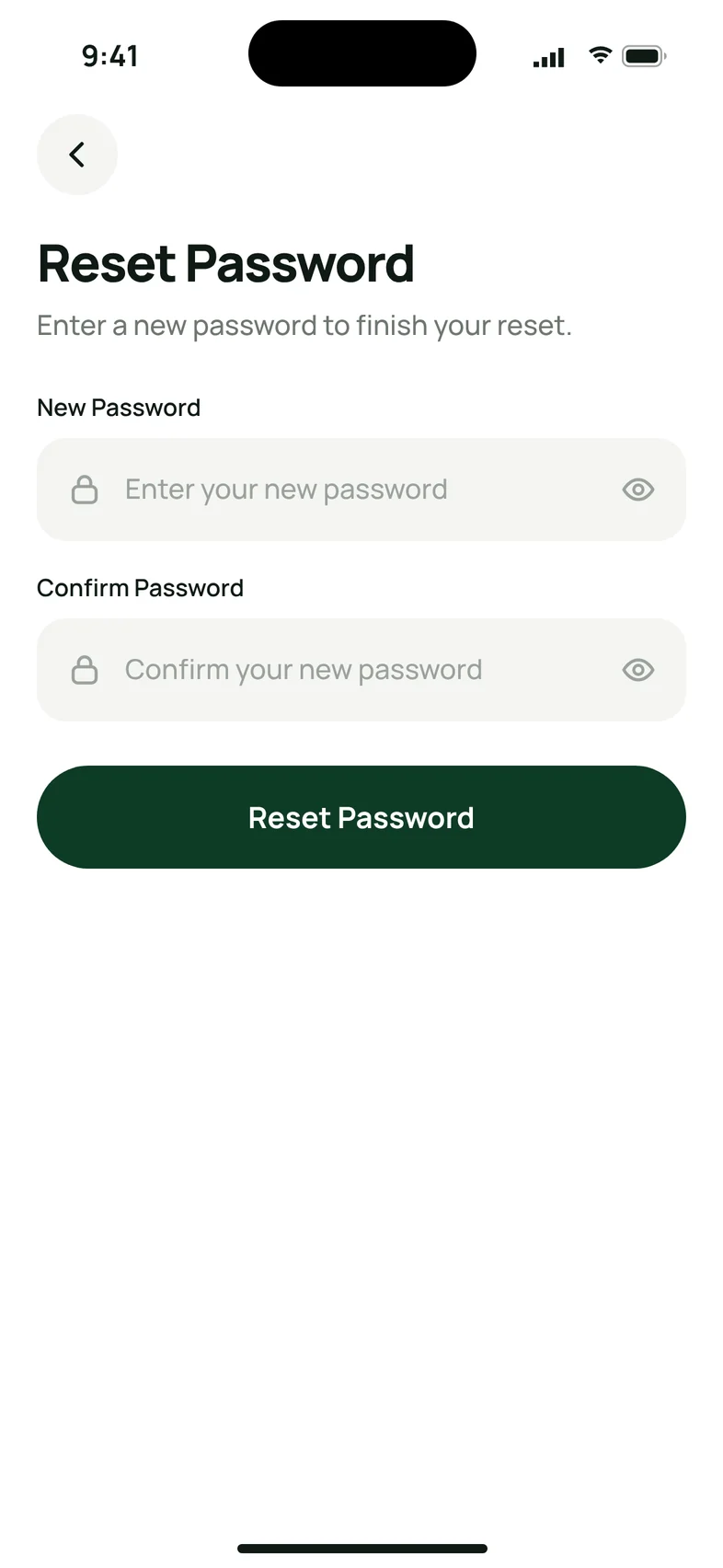
Reset Password: enter a new password.
New password.
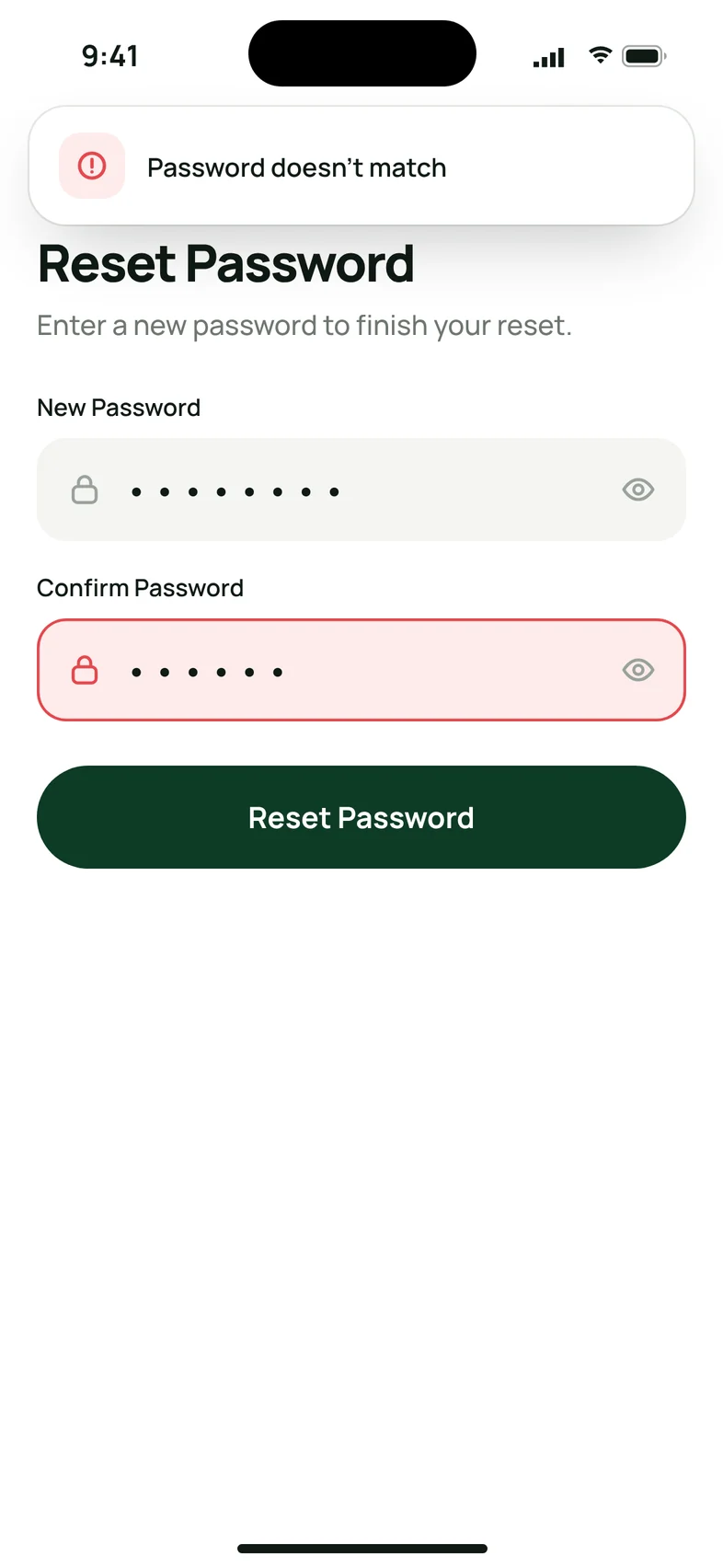
Error toast: password doesn’t match.
Password doesn’t match.

Dark mode

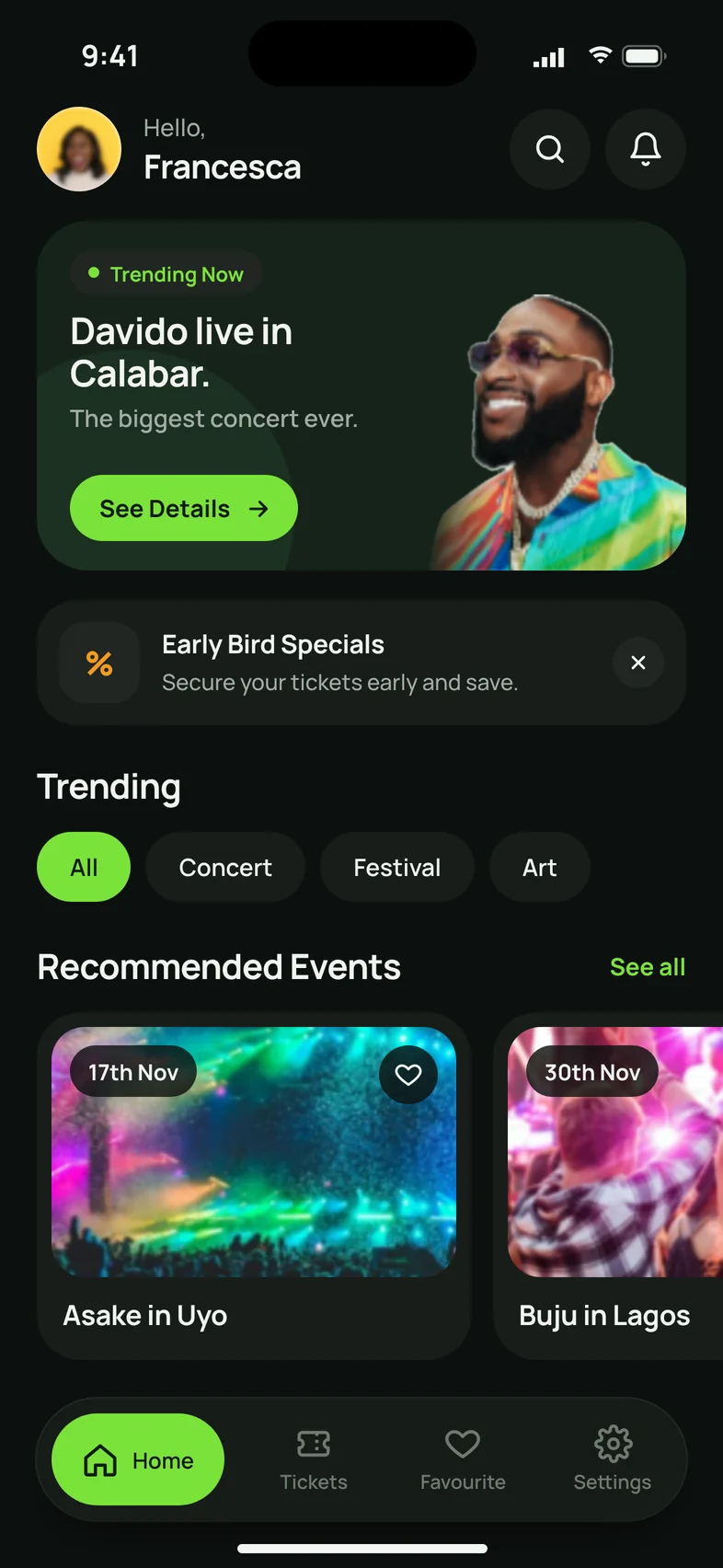
The app follows the phone’s light or dark setting. Here are the same key screens in dark mode.

Homepage in dark mode.
Homepage.
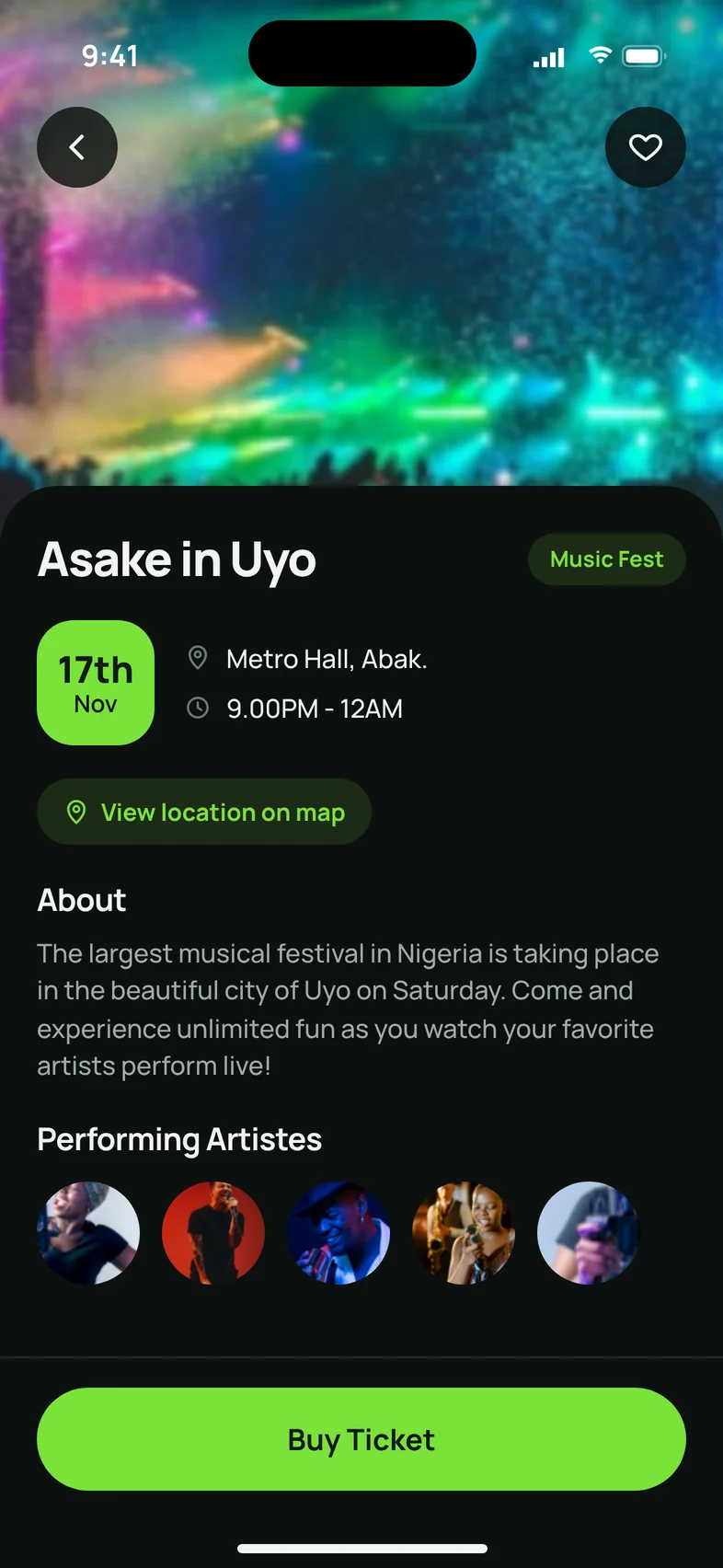
Event details in dark mode.
Event details.
Your Ticket in dark mode, with the QR code on white.
Your ticket.
My Tickets in dark mode.
My tickets.

13

Key takeaways

  • User research is very important. Research helped me to understand my users rather than assume
  • Iteration is important
  • Your product does not have to be perfect at first. Hence, iteration is key.

Thank you!

Thank you for reading through. I would love to hear your thoughts on this case study.

You can reach out to me via Email at francescaisek@gmail.com and Linkedin at Francesca Isek

Bye!

More projects

← Back to Work